Settings
Photos
Photos settings are split between the Photos app settings and the settings for each account.
Per-account photo discovery
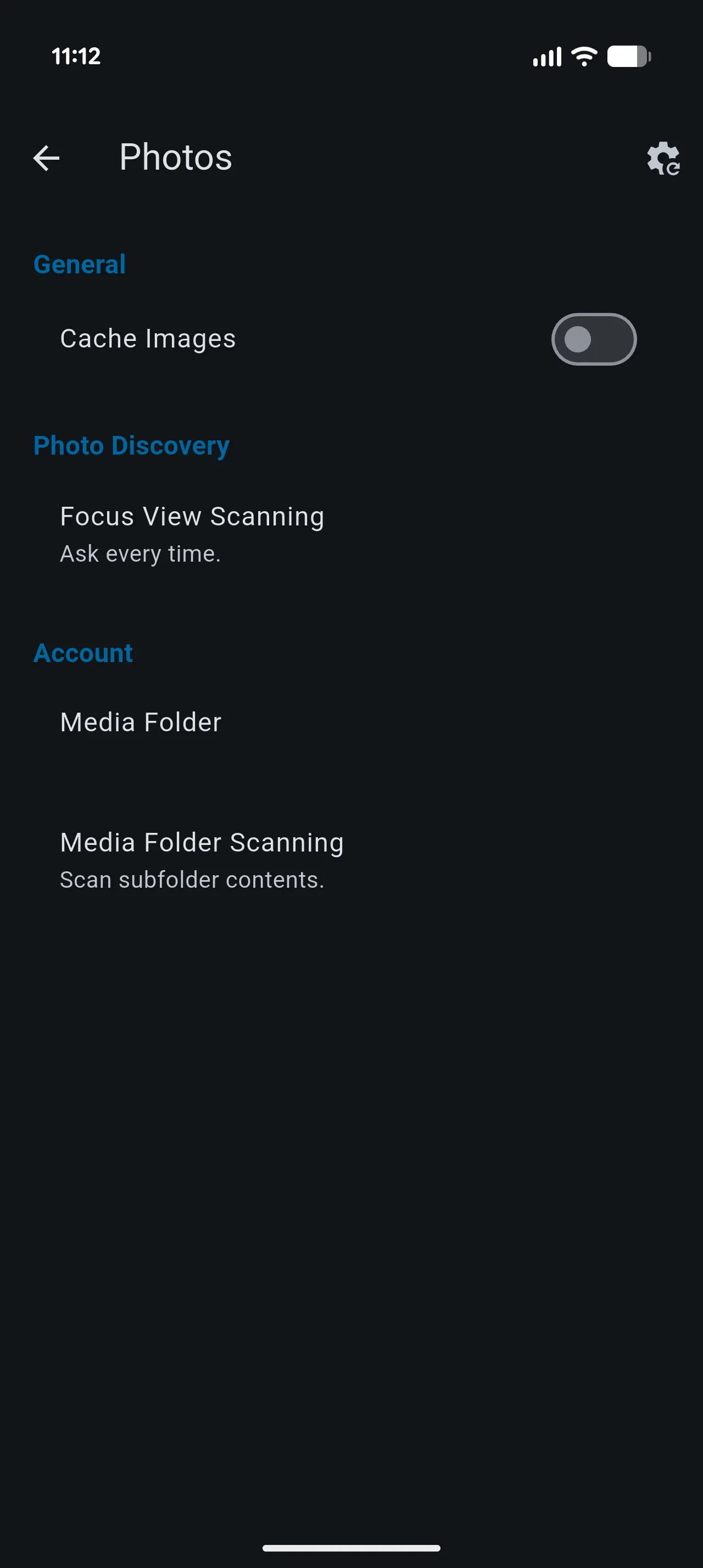
- Media Folder chooses the folder used by Photos. It defaults to the account’s root folder.
- Media Folder Scanning controls whether Photos scans only that folder, includes its subfolders, or asks for a choice. The default is to scan only the selected folder. When you choose Ask every time, Yaga remembers your answer for that account and asks again if you change the Media Folder or scanning option.
These settings are account-specific, so each Nextcloud account can use a different folder and scanning behavior.
Photos app settings
- Cache Images controls whether Photos keeps image data in the local cache for reuse. It is enabled by default.
- Focus View Scanning controls whether Focus scans only the selected folder, includes its subfolders, or asks each time you open Focus. It is disabled by default, so Focus starts with the selected folder only.
Media Folder Scanning and Focus View Scanning are separate. Changing one does not change the other.
Files
Files settings control how folders are displayed and how transfers are handled.
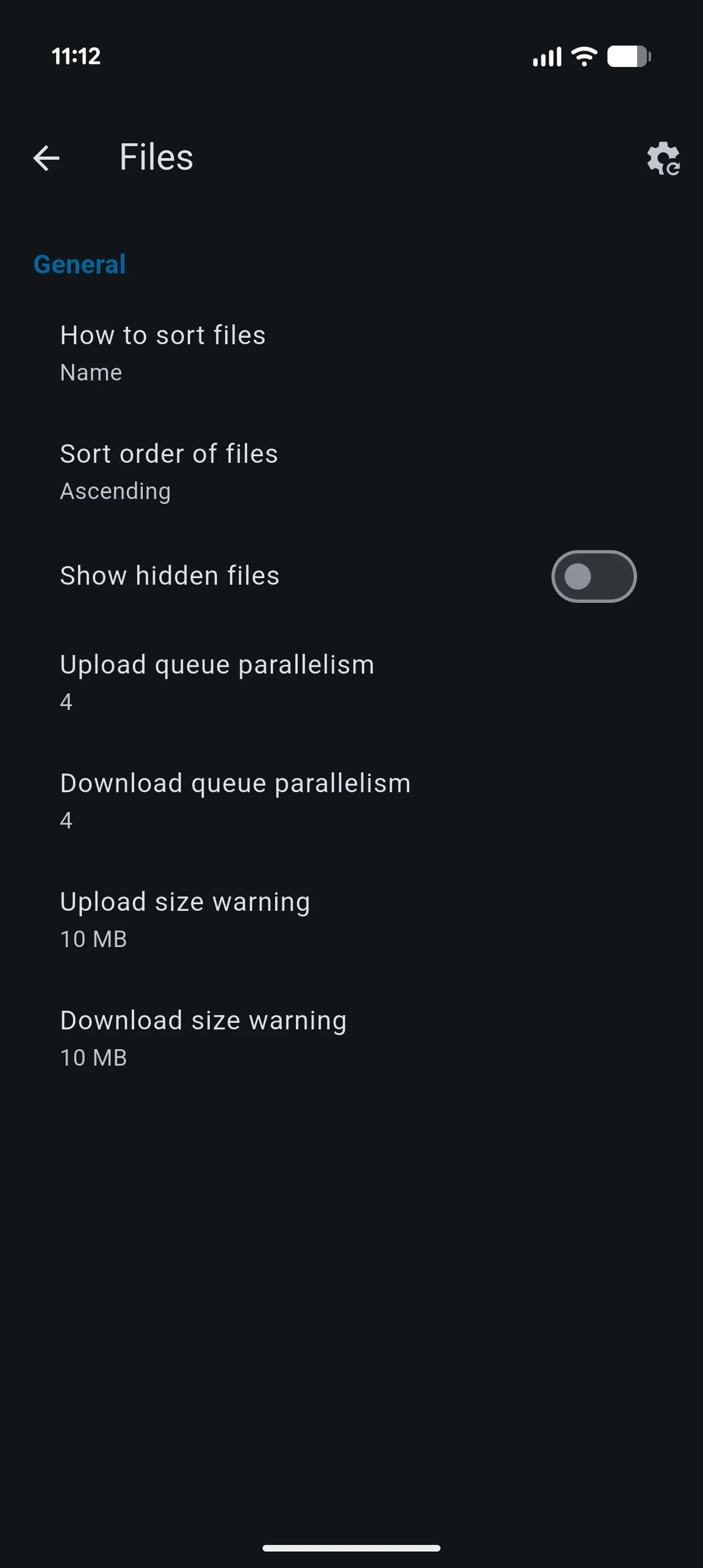
- How to sort files sorts by name, last-modified date, or size. The default is name.
- Sort order of files sets ascending or descending order. The default is ascending.
- Show hidden files includes hidden files in folder listings. It is off by default.
- Upload queue parallelism and Download queue parallelism set the number of transfers that can run at once. Both default to four.
- Upload size warning and Download size warning ask for confirmation before a transfer exceeds the chosen size. Both default to 10 MB and can be disabled.
Appearance and navigation
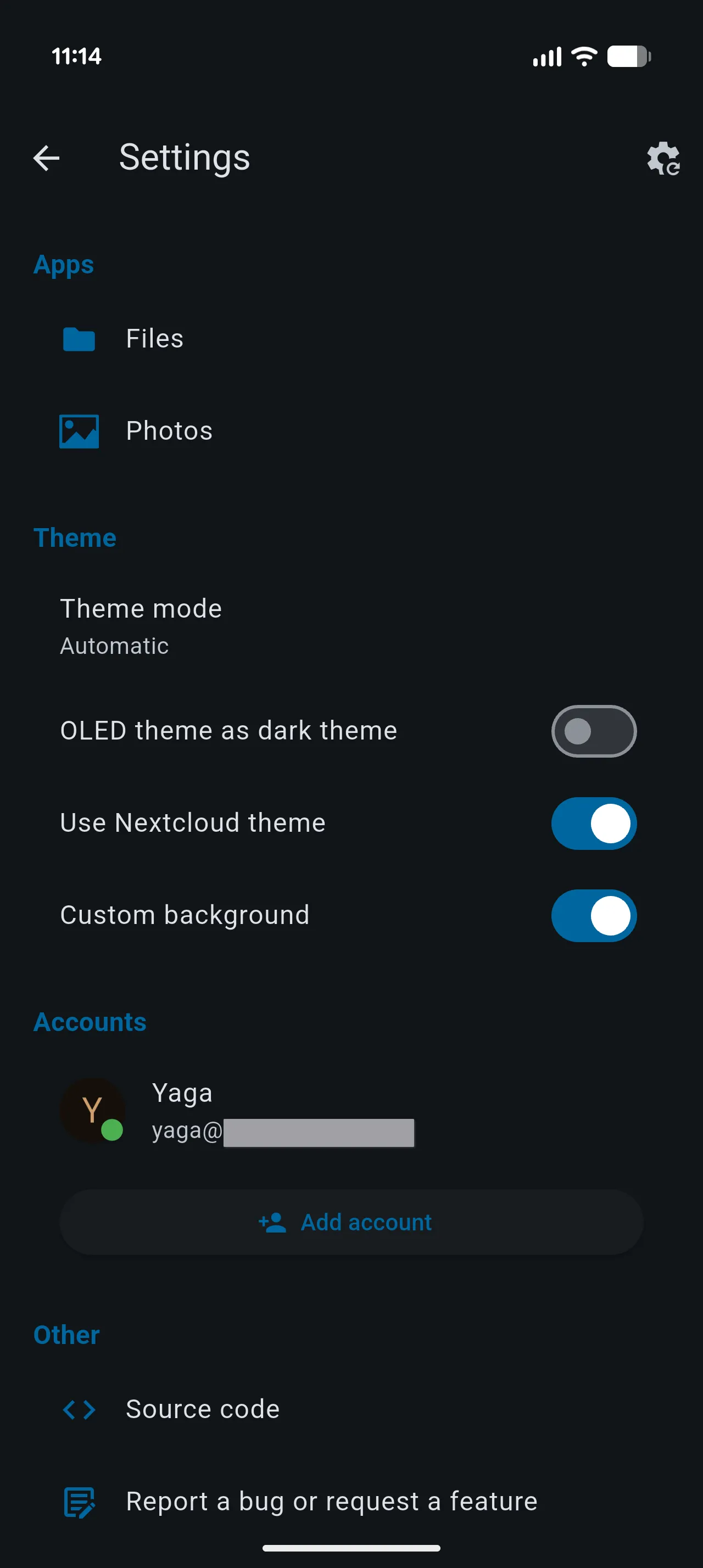
- Theme mode follows the system setting by default; you can choose light or dark instead.
- OLED theme as dark theme uses a black background in dark mode. It is off by default.
- Use Nextcloud theme uses colors supplied by your Nextcloud server. It is on by default.
- Custom background allows a server-provided background when Nextcloud theming is enabled. It is on by default.
- Navigation mode controls how the Photos and Files app destinations are shown. On Android, the available mode is the navigation drawer.
Notifications
If push notifications are available on your device, UnifiedPush lets you select an installed notification distributor or disable push notifications. The listed distributors depend on what is installed.
Accounts
- Remember last used account returns to the account you last used. When disabled, choose an Initial account to open by default. These controls appear when more than one account is set up.
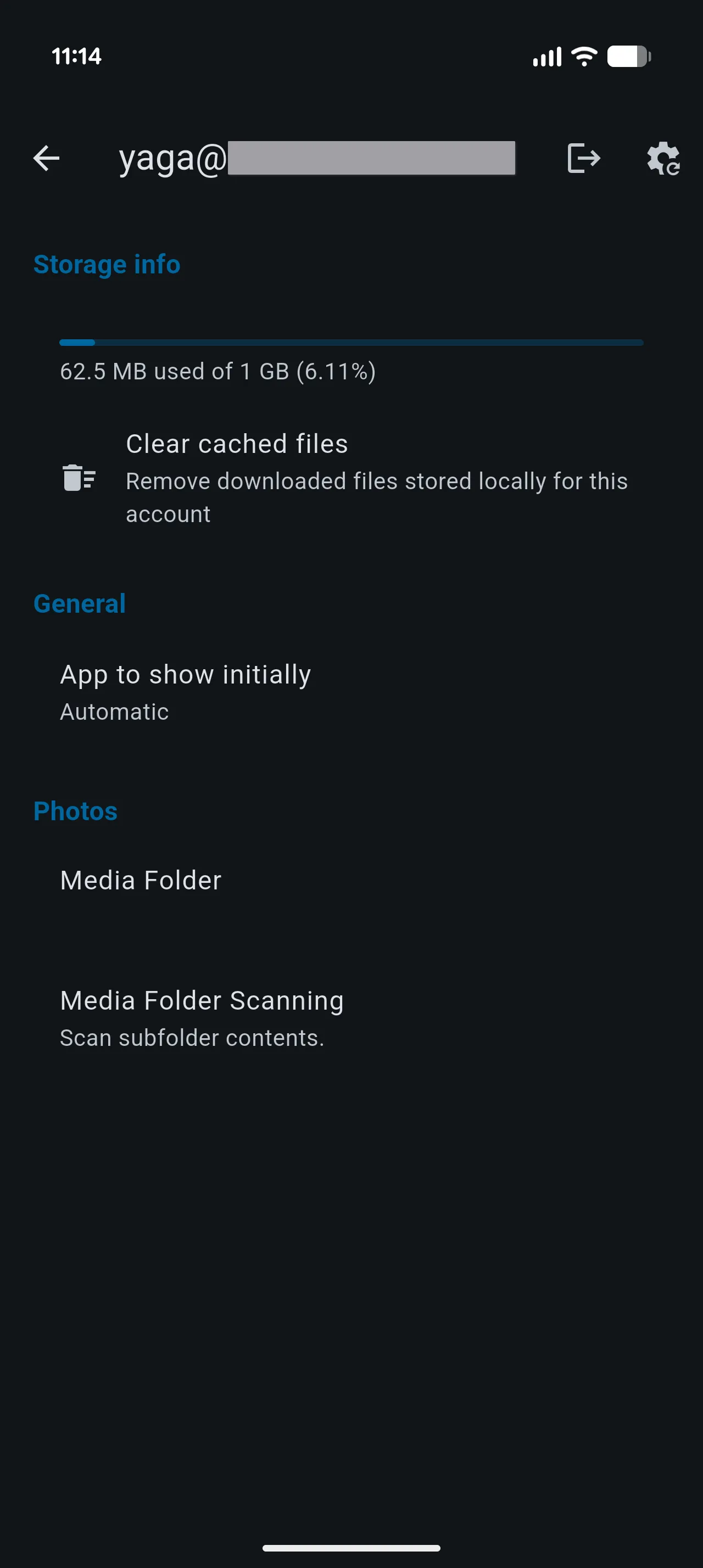
- App to show initially chooses which app opens for a particular account, or lets Yaga choose automatically.
- Each account’s settings show its storage quota and provide Clear cached files to remove downloaded files cached locally for that account. Yaga downloads files again when needed.
Import, export, and reset
The settings screen includes actions to export settings to a JSON file and import them from one. The reset control on the main settings screen resets all preferences; reset controls inside an account or app settings page reset that scope.